
How to reset your password
Modified on: July 15th, 2026
You forgot your password, that is the worst! No need to worry, we've got you. More good news? It will only take a minute!
🖥️ Desktop or Tablet
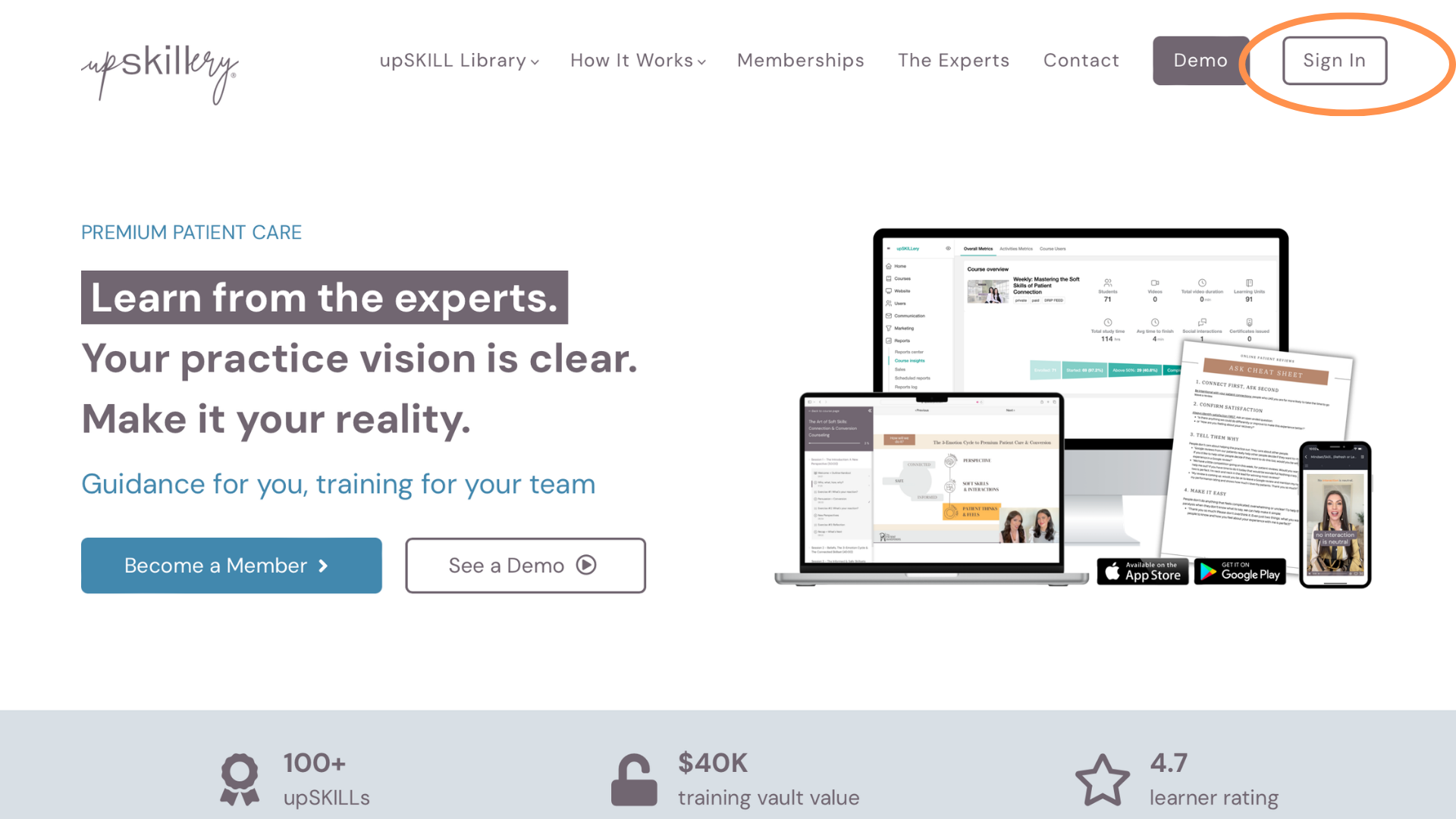
Step 1: Click the sign-in button in the top right-hand corner of your screen.
🖥️ Desktop or Tablet
Step 1: Click the sign-in button in the top right-hand corner of your screen.
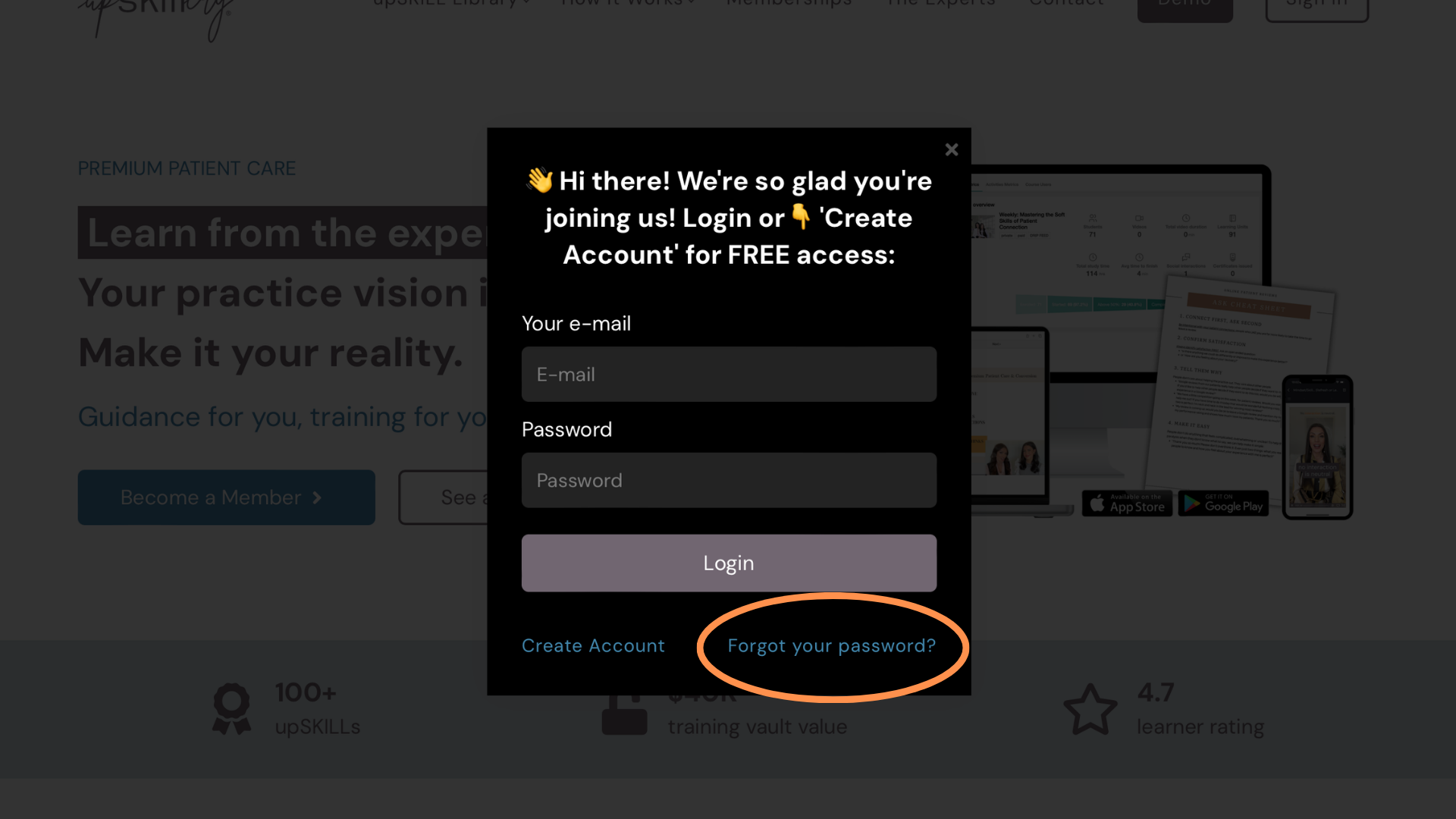
Step 2: The sign-in box will pop up, prompting you to sign in. Instead, click the "Forgot your password?" link at the bottom right corner of the box.
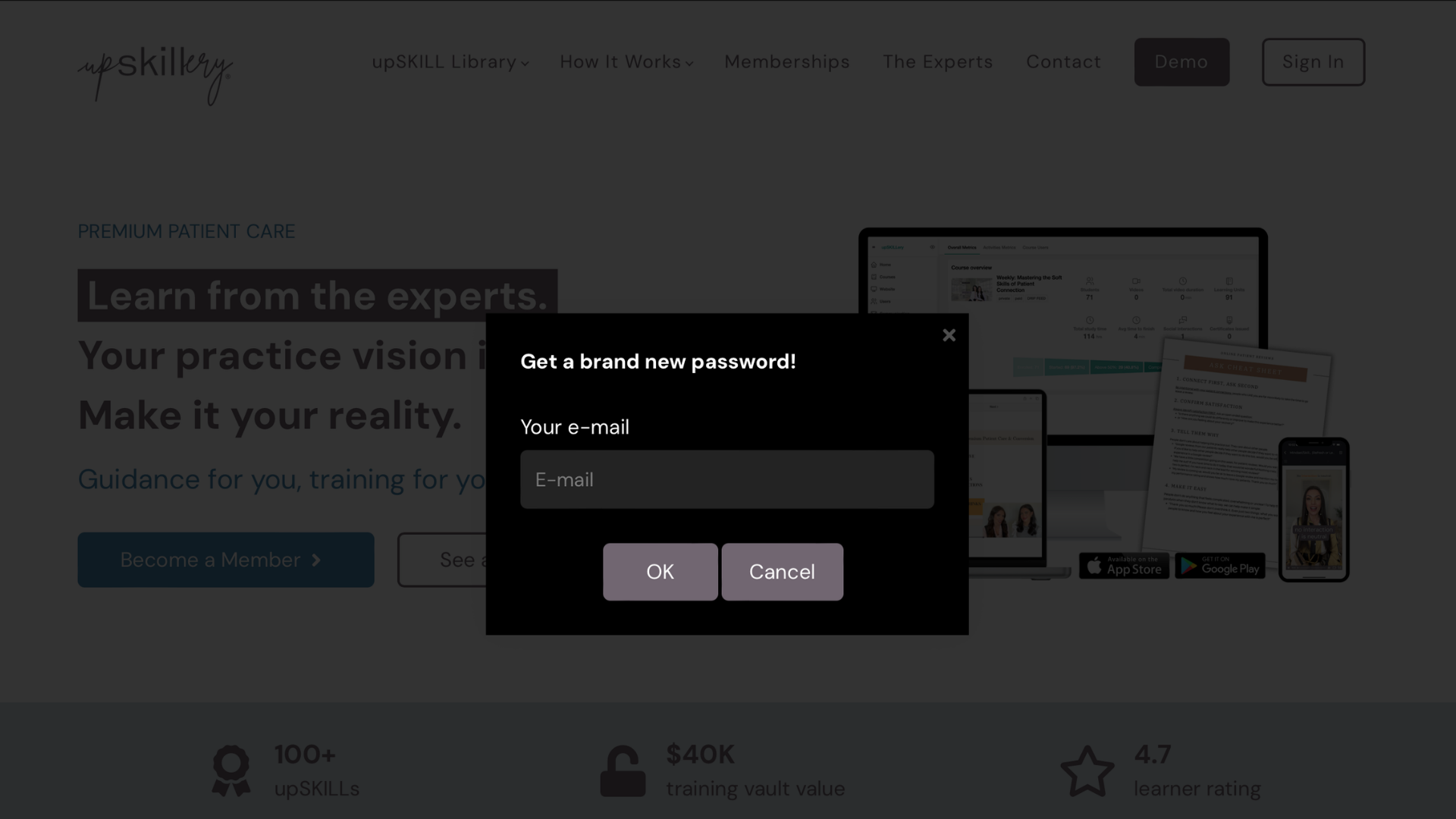
Step 3: Enter your email and click "OK".
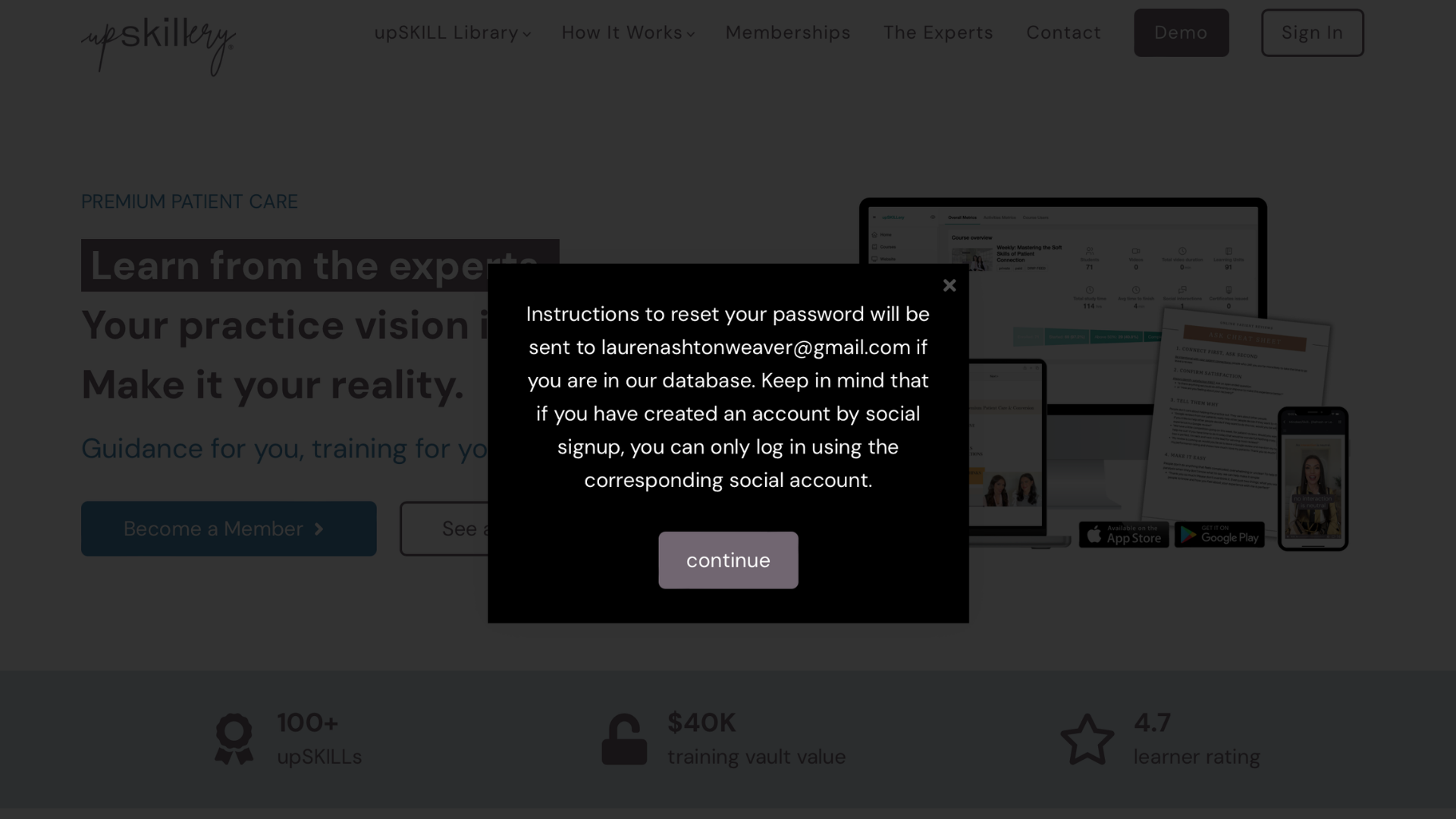
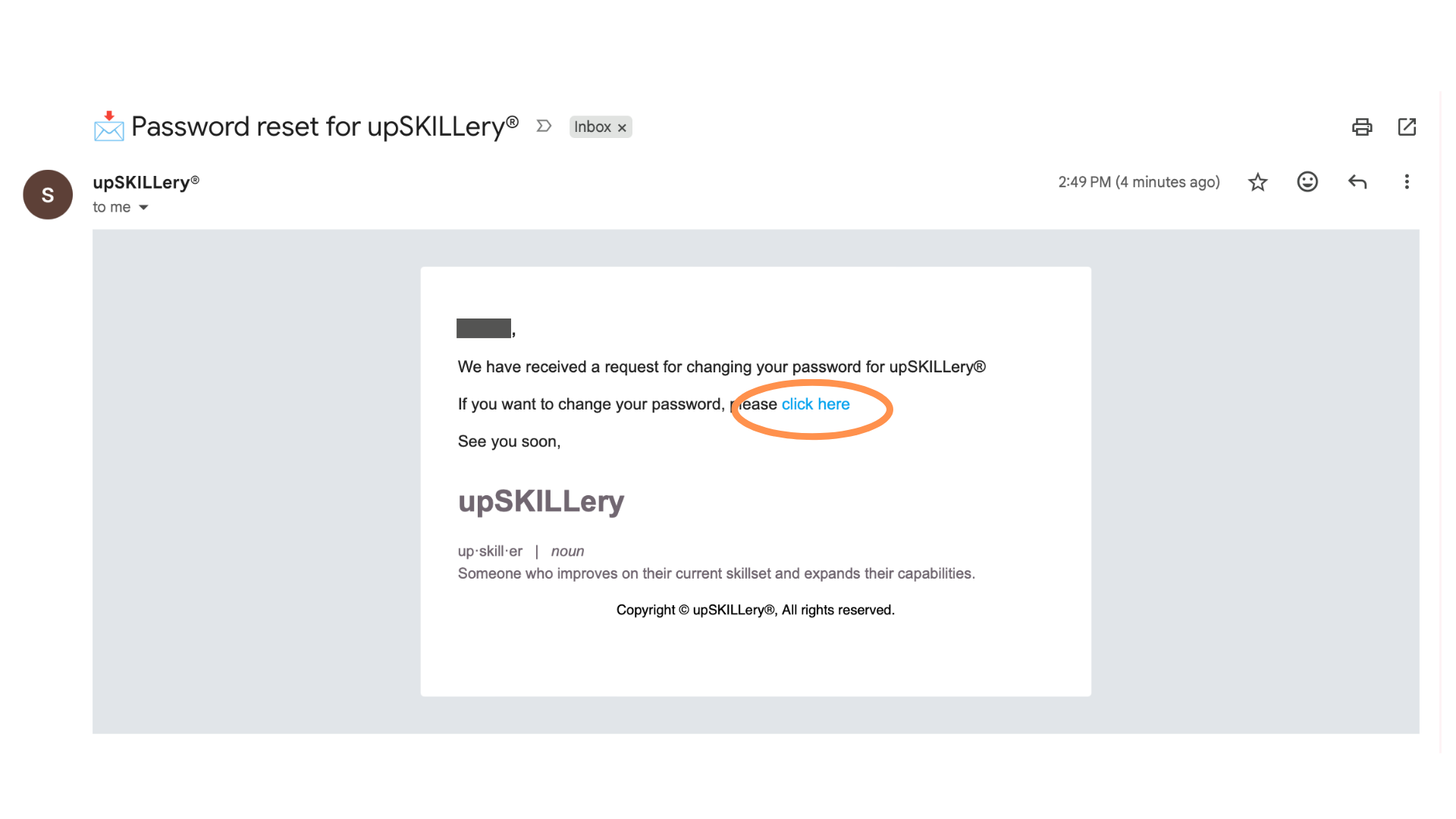
Step 4: You are provided with this message. To verify your identity before resetting, open another tab in your web browser and locate the email "📩 Password reset for upSKILLery®" from support@upskillerylms.com
Step 5: Within the email, click the link labeled "click here" to proceed with the final steps in upSKILLery.
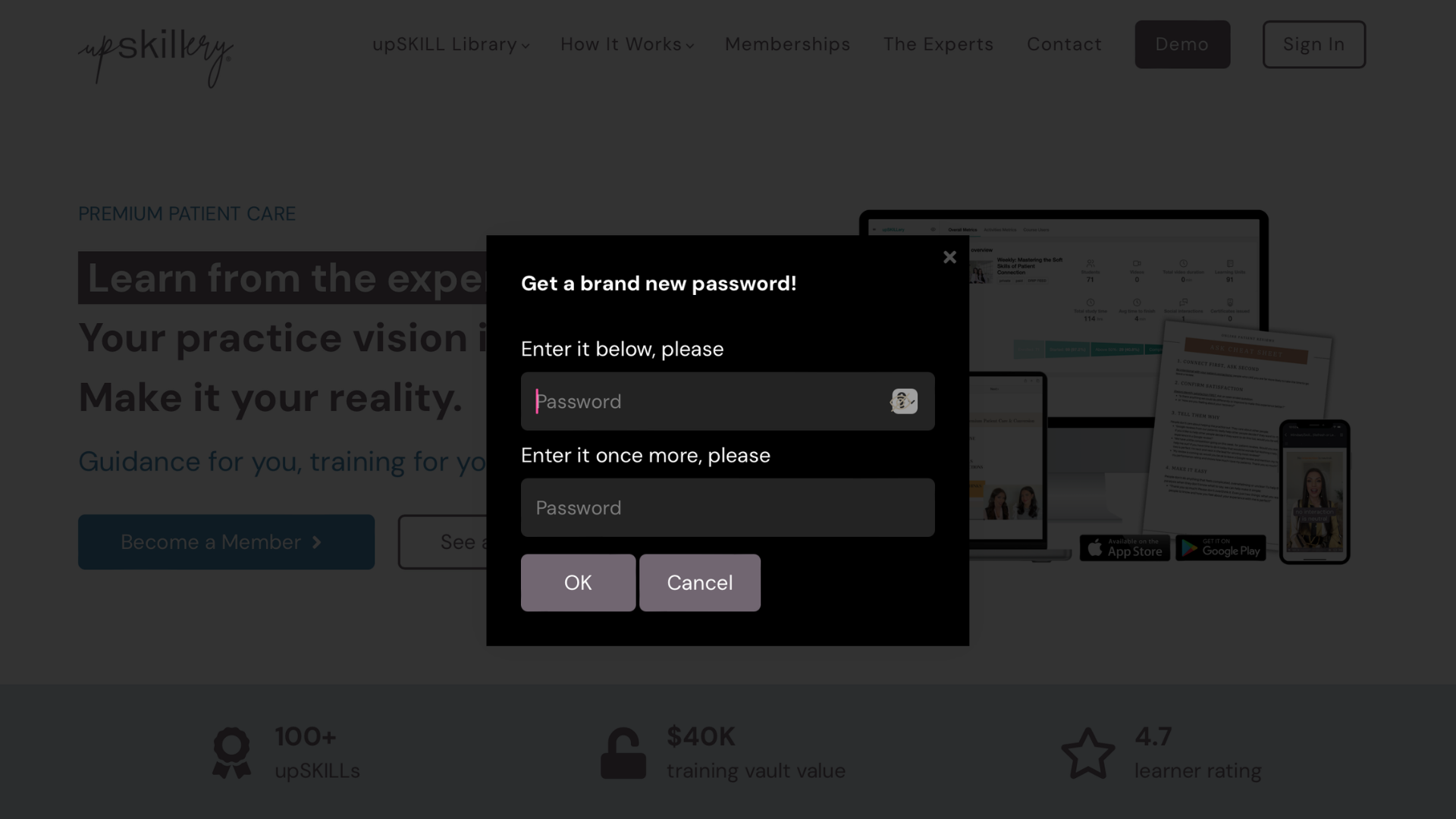
Step 6: For this final step, you should be back on the upSKILLery website with a box prompting you to submit your new password. After submitting your new password, click "OK".
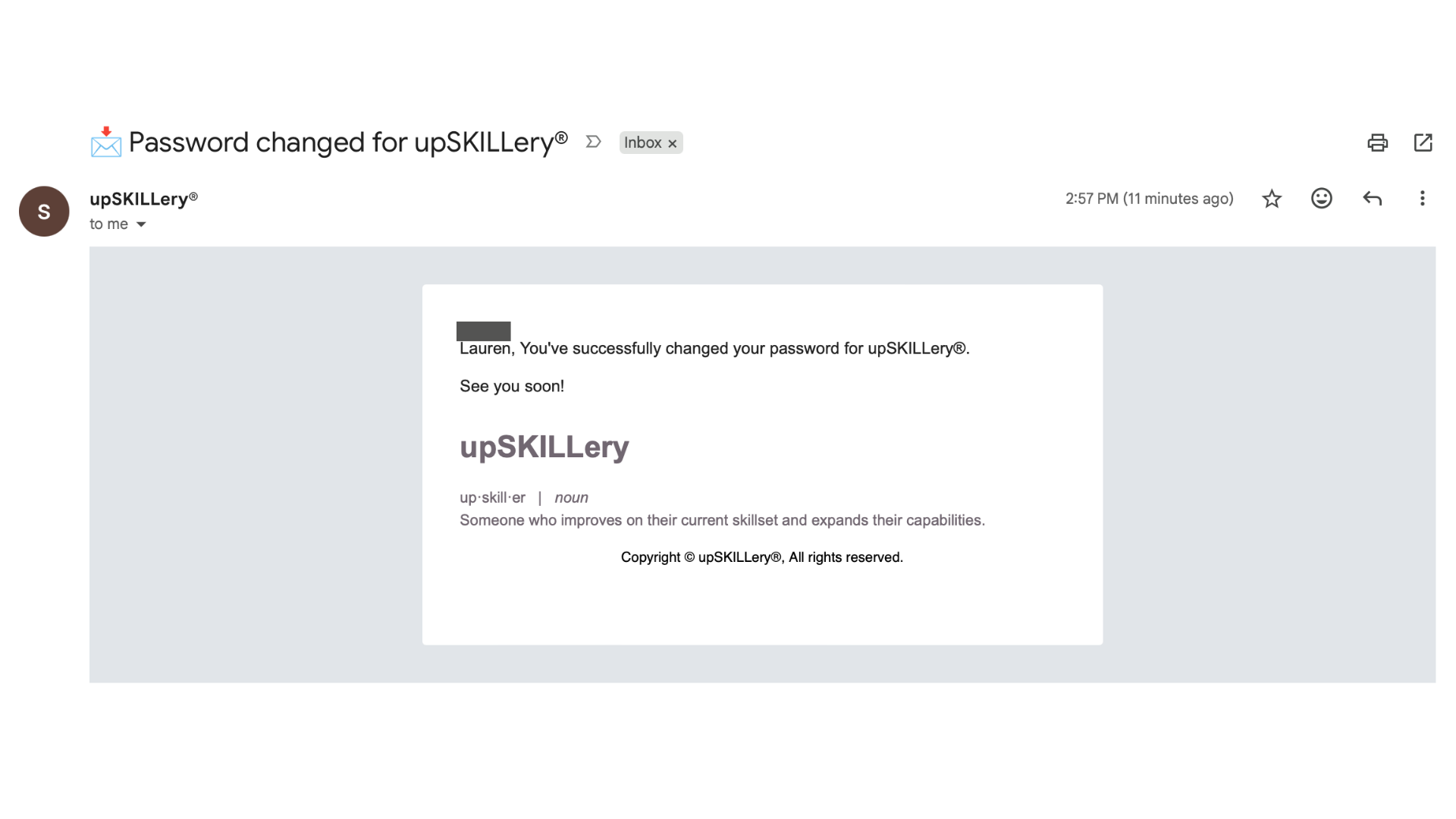
Step 7: Woohoo, you did it! Not too painful, right? You should receive immediate access to your upSKILLery membership and a confirmation email from support@upSKILLerylms.com in your inbox.
Didn't find what you were looking for?
We've got you! Click the button below to submit a ticket to our fabulous support team.
<something about the fact that we might add it to our help center?>
<something about the fact that we might add it to our help center?>